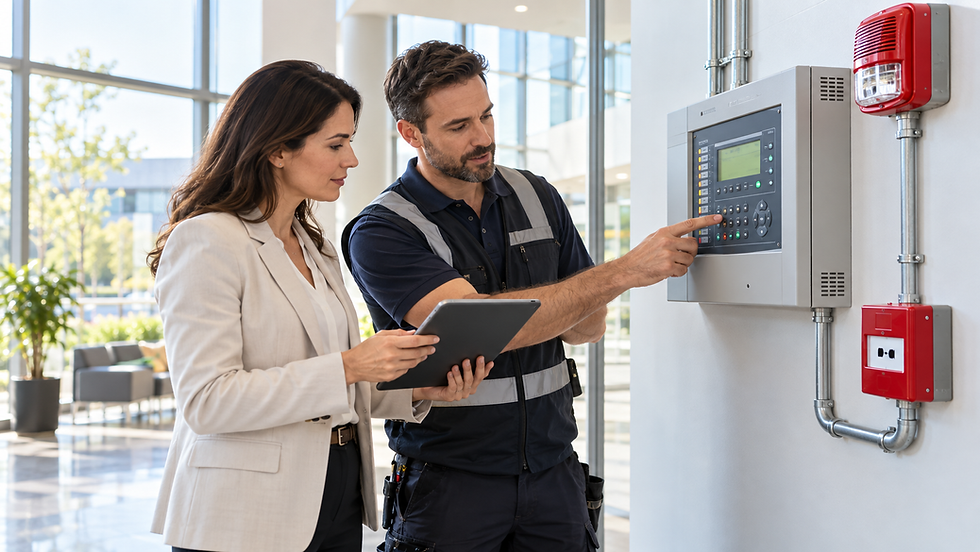
Want to Add a Camera or Sensor? Talk to Someone Who Knows Your System

Before adding a camera or sensor, check that it works with your alarm panel, hub, app, and monitoring plan. Devices can look similar but use different communication protocols, power sources, or software. A qualified installer can review your existing equipment, recommend compatible options, and help test the new device after installation.
Cyber Shield Security helps homeowners and property professionals in Los Angeles and nearby communities evaluate existing systems before adding equipment.

Why Compatibility Matters
An alarm system is a combination of a control panel or hub, sensors, cameras, communications equipment, software, and sometimes a monitoring service. A new device needs to work with the parts it depends on.
Compatibility may be affected by:
Panel or hub model and firmware
Wireless protocol or frequency
Device generation or region
Available zones, capacity, or power
App and subscription features
Monitoring provider and account configuration
Wi-Fi coverage at the planned camera location
For example, Ring Alarm devices connect through compatible Ring Base Stations, and certain features require a compatible subscription. Other security platforms use their own supported-device lists and requirements. Ring Alarm setup information.
What to Check Before Adding a Camera or Sensor
Identify your existing system
Find the model of the alarm panel, hub, camera recorder, or base station. Note the monitoring provider and account plan. If the equipment is older or was installed by another company, gather any manuals or service records you have.
Match the device to the system
Check the manufacturer’s compatibility information for the specific device and panel. A sensor may pair with a hub but not report correctly to the monitoring service. A camera may work in its own app without integrating with the alarm system.
Ask whether the device will:
Trigger the alarm when appropriate
Send notifications to the right users
Appear in the same app as the existing system
Be included in professional monitoring, if applicable
Require a subscription, bridge, or additional communicator
Confirm placement, power, and connectivity
A camera needs a useful view and reliable network connection. A sensor needs suitable placement and a compatible communication path to the panel. Wired devices may need existing cabling or a new route; battery devices need accessible battery replacement and a suitable mounting location.
Test the full operation
After installation, test the sensor or camera according to the manufacturer’s and monitoring provider’s instructions. Confirm that alerts arrive, the device appears in the intended app, and any required monitoring service receives the correct signal.
When Existing Sensors Can Be Reused
Some systems can accept additional devices or retrofit existing wired contacts. However, retrofit kits can have limitations—for example, which zones they support and whether smoke or carbon monoxide devices are excluded.
Ring’s Retrofit Alarm Kit documentation specifies supported wired contact sensors and notes that the kit is not designed to support life-safety devices such as smoke and CO detectors. Ring Retrofit Alarm Kit details. This illustrates why the exact device and purpose matter before connecting it to an existing panel.
Fire Alarm Devices Need Separate Evaluation
A security camera or intrusion sensor is not the same as a smoke detector, fire alarm device, or building fire alarm system. Do not connect, remove, or relocate a fire alarm device as if it were an ordinary security sensor.
For commercial, apartment, and multifamily properties, fire alarm modifications may require qualified design and installation, plan review, permits, testing, or inspection depending on the work and local requirements. Confirm the project scope with the applicable authority and a qualified fire alarm professional.
Why Choose Cyber Shield Security?
Cyber Shield Security works with homeowners, commercial property owners, apartment building owners, property managers, HOAs, general contractors, developers, and business owners. The company serves Los Angeles and nearby areas, including North Hollywood, Studio City, Burbank, Sierra Madre, Arcadia, Pasadena, Woodland Hills, Sherman Oaks, Santa Monica, Beverly Hills, and West Hollywood.
If you want to add a camera, door sensor, motion detector, or another device, Cyber Shield Security can review the existing system and discuss compatible options. That conversation can also help identify separate fire alarm needs for the property.
Frequently Asked Questions
Can I add any camera or sensor to my existing alarm system?
No. The device must be compatible with the panel, hub, app, and monitoring setup. Check the manufacturer’s compatibility information for the exact models.
Can a camera work without connecting to my alarm panel?
Some cameras operate independently through their own app or recorder. Whether they integrate with your alarm system depends on the camera and platform.
Will a new sensor be included in professional monitoring?
Not automatically. The device must be supported by the panel and monitoring provider, and the account may need configuration or a plan that supports that signal.
Can I reuse wired sensors from an older alarm system?
Sometimes. A compatible takeover module or retrofit kit may support certain wired zones, but condition and wiring compatibility must be checked.
Do I need a subscription to add a camera or sensor?
It depends on the brand, model, and features you want. Some devices work locally while cloud storage, remote access, or professional monitoring may require a subscription.
Can a security sensor replace a smoke or fire alarm device?
No. Security sensors do not automatically provide required fire protection. Fire alarm devices and systems have separate purposes and may have code, permit, and inspection requirements.
What information should I provide before requesting an installation assessment?
Share the panel or hub model, device model, monitoring provider, photos of the installation areas, and the features you want. That information helps determine compatibility and installation needs.
Can Cyber Shield Security help add equipment to my existing system?
Contact Cyber Shield Security to review your existing equipment and discuss camera, sensor, or fire alarm installation needs in Los Angeles and nearby communities.
Contact Cyber Shield Security
Before buying another camera or sensor, confirm that it fits your current system and will deliver the features you need. Call Cyber Shield Security at (310) 242-3100 or email info@cybershieldsecurity.us to discuss system compatibility and installation in Los Angeles and surrounding areas.